
tl;dr
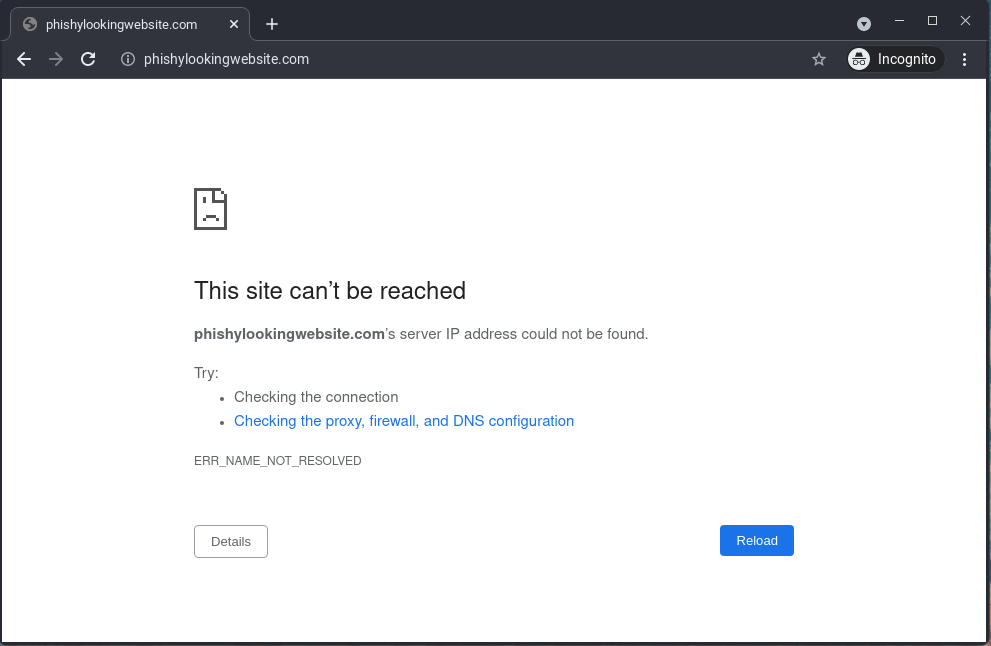
If you’ve identified a phishing site, you can submit an abuse report with the domain registrar to have the site taken down. In short: document the site with screenshots, identify the registrar with an ICANN lookup, submit an abuse report to the registrar and the hosting provider, then report the URL to Google Safe Browsing. Every step is free, and the whole process takes about 15 minutes. Steps are outlined below and the image above is an example of what you’d want to see within hours after your request.
Background
Earlier this week, DomainGuard identified and reported on a phishing site impersonating a small American bank. When DomainGuard conveyed the threat details to the bank’s IT manager, the manager responded: “What do I do with this information?”.
As cyber-security experts, we’re used to seeing phishing sites and performing takedowns, but when we step out of our security bubble, we work with individuals who may not be familiar with what a domain or website takedown entails.
While some security vendors will charge for domain or phishing site takedowns, and while we offer this service for our clients, we also wanted to provide the public a guide on how to do this if they encounter a phishing website. The best part is: performing a takedown is not only free, it only takes a few minutes.
Can You Take Down Any Website?
A common misconception is that a takedown is a lever you can pull against any website you want removed. It is not. The abuse process exists for sites that violate a registrar’s or hosting provider’s terms of service: phishing, fraud, malware distribution (including lure pages like the fake Cloudflare verification check), and brand impersonation. If you can document that a site is actively deceiving people, such as a scam storefront, a fake login page, or a site impersonating your brand, the process in this guide applies.
What it does not cover: sites you disagree with, negative reviews, or content disputes. Those are not abuse in the registrar’s sense, and abuse reports filed over them go nowhere. Copyright and trademark problems have their own channels, such as DMCA notices and UDRP proceedings, which run on legal timelines rather than abuse-desk timelines. The last section of this guide, on getting a website taken down when it is not phishing, covers each of those routes.
One more scoping note: if the scam lives on a platform subdomain, like a free hosting service or a site-builder page, there is no domain registration of its own to report. Skip the registrar step and report directly to the platform through its own abuse channel.
How to Take Down a Phishing Website, Step by Step
Prerequisites
You’ve identified, and confirmed, that the site you’d like to takedown is a malicious phishing site.
You have adequate documentation in the form of screenshots or screen recordings of the phishing site, including the domain name, and the site or company being targeted.
Identify the Domain Registrar
The phishing site’s domain had to be registered with a domain registrar. GoDaddy and Namecheap are some of the more popular domain registrars you may have heard of. Registrars are required to have a method to allow the public to submit abuse reports if abuse (e.g., a phishing website) is identified with a domain purchased through the registrar. Once we identify the registrar, we can then submit our abuse report.
You can identify the registrar for your identified phishing domain by entering the domain of the phishing site at the ICANN Lookup tool.
In some cases, the ICANN response will include the registrar information and abuse point of contact. This isn’t always the case so we’re showing a series of repeatable steps that will work even if registrar information is not present. The example used here is a true phishing website that was identified, reported on, and taken down by DomainGuard.
Find IANA ID
You can see in the video below, we scroll down to the “Raw Registry RDAP Response” and identify the registrar by their IANA ID, which in our case is 1479.
Lookup Registrar by IANA ID
Once you’ve identified the registrar by their IANA ID, you can then look them up on ICANN’s list of accredited registrars.
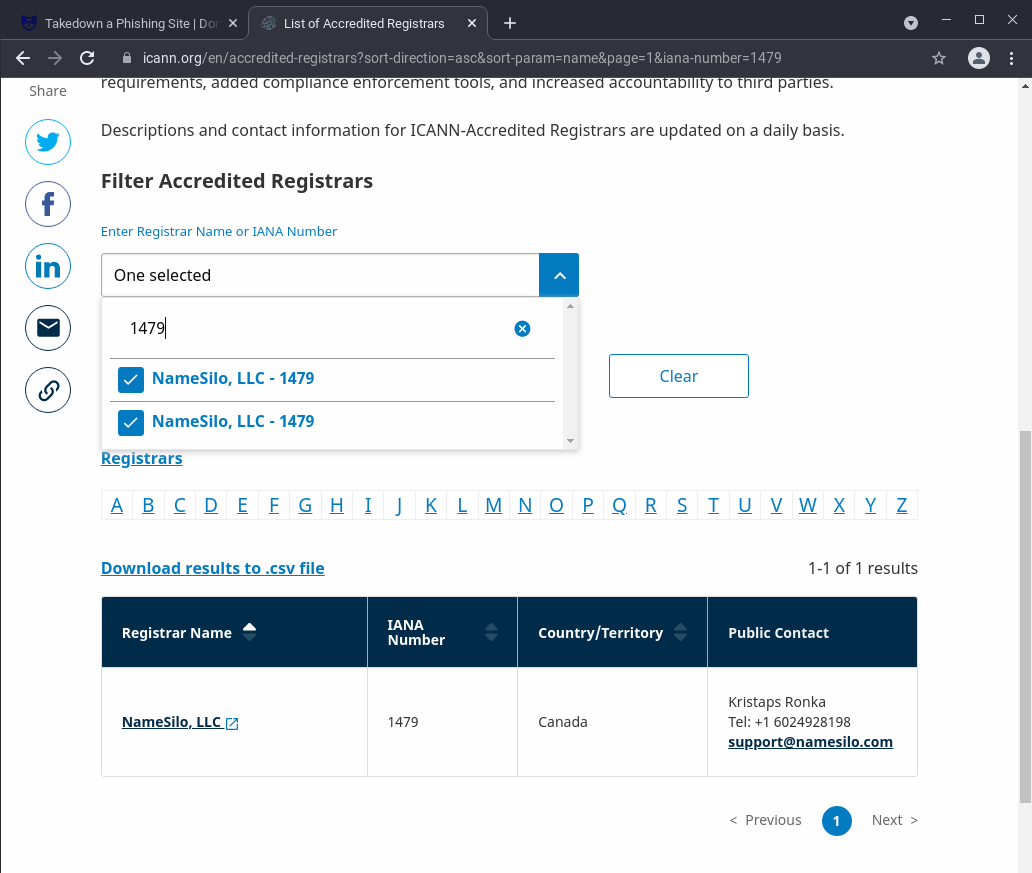
Navigate to the ICANN accredited registrars list and enter the IANA ID we saw earlier.
In our example the IANA ID was “1479” and we now see the registrar is “NameSilo”.
Submit Abuse Report
Once you’ve identified the registrar by their IANA ID, you can then submit your phishing abuse report. To do this, you’ll need to click the link from the previous step to be navigated to the registrar’s website, or you can simply google the registrar’s name followed by “abuse report” and you should end up in the right place.
We are using NameSilo as an example, your registrar may be different and as such, you should submit the abuse report to the registrar you identified, NameSilo will not be able to handle an abuse report for a domain they are not responsible for.
Continuing on with our NameSilo example, we Googled for the registrar’s name followed by abuse: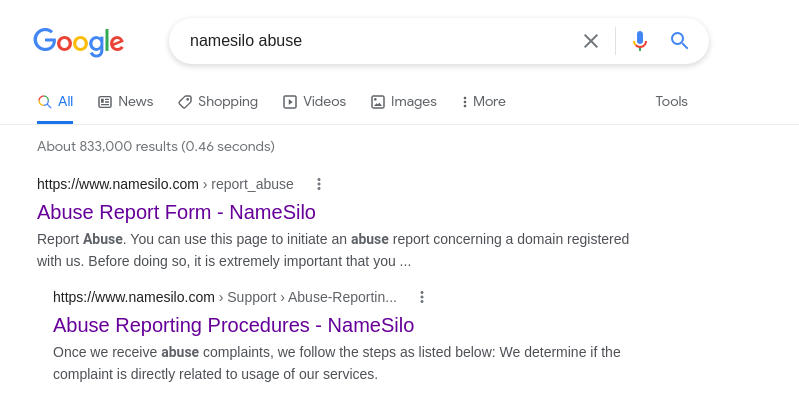
Click on the first link, and you’ll be presented with an abuse report page.
Fill out the form, and attach the screenshot evidence you have of the phishing site.
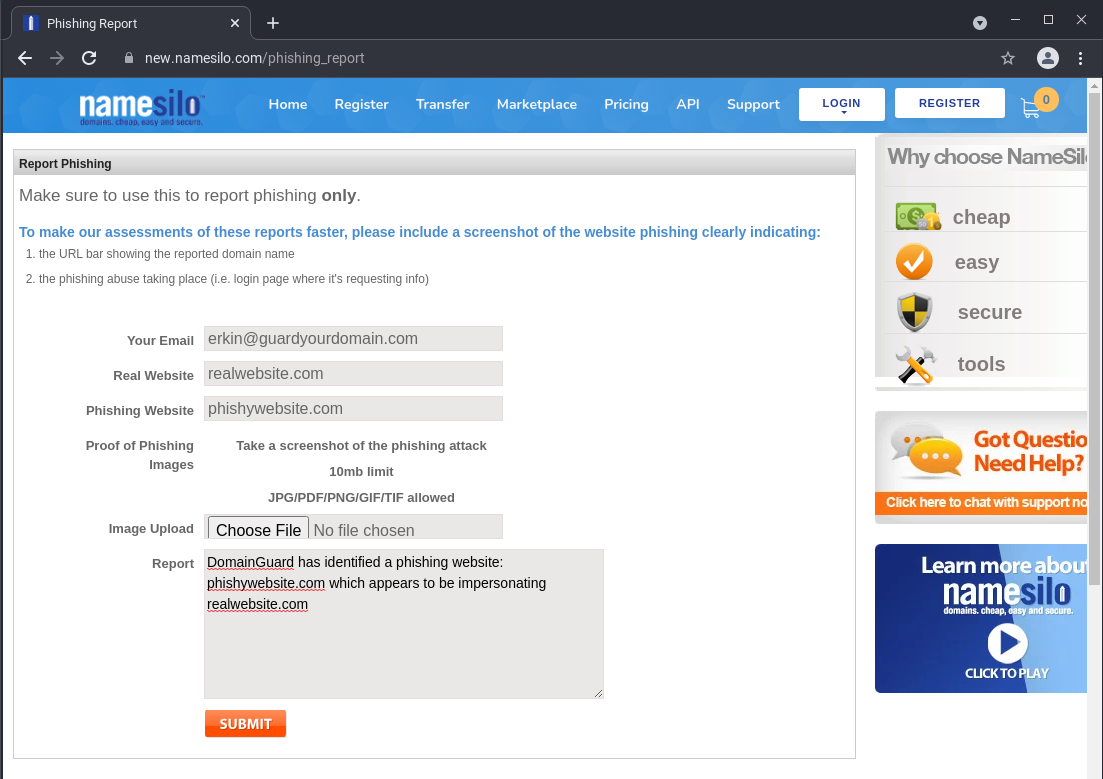
Below is a snippet of the description we typically use:
DomainGuard has identified a phishing site at the following domain: phishydomain.com
The phishing site is impersonating legitimatedomain.com
Report to the Hosting Provider
The registrar controls the domain name, but the phishing content itself lives on a server run by a hosting provider. Reporting to both in parallel gives you two independent paths to a takedown, and hosting providers will often pull the content down even when a registrar is slow to act.
To identify the host, look up the site’s IP address (nslookup phishydomain.com or any online DNS lookup tool), then run that IP through a WHOIS or ASN lookup such as ipinfo.io.
The organization listed for the IP range is usually the hosting provider.
From there, the process mirrors the registrar report: search for the provider’s name followed by “abuse report” and submit the same evidence.
If the site is behind Cloudflare
Many phishing sites proxy their traffic through Cloudflare, so the IP lookup will show Cloudflare rather than the real host. Cloudflare is not the hosting provider in this case, but it accepts phishing reports at abuse.cloudflare.com and forwards them to the origin hosting provider. In our experience this is an effective path, and Cloudflare may also place a warning interstitial on the reported URL in the meantime.
Congratulations, you now know everything you need to be able to perform a phishing takedown request!
Other Steps You Can Take
The domain abuse report is certainly the most important and should be the first step taken. After you’ve done this, you can and should report the phishing website to Google SafeBrowsing.
Google Safebrowsing
Google’s safebrowsing is highly effective at preventing users from accessing the phishing site. Even if there is a delay on the registrars end, Google may be able to at least prevent users from navigating to the site by showing a jarring red page of doom. Report the site through the Google Safe Browsing reporting page.
Others
We’ve included a few additional places you can report a phishing website. Each report extends protection to a different set of users.
- CISA, the US cybersecurity agency’s incident and phishing reporting page
- APWG, the Anti-Phishing Working Group clearinghouse used by many security vendors
- Microsoft SmartScreen, which warns Edge and Windows users
- Netcraft, whose feed drives blocking in many security products
- VirusTotal, to flag the URL for the broader security community
- AbuseIPDB, to flag the hosting IP address
How to Get a Website Taken Down When It Is Not Phishing
The abuse process above works because phishing breaks every registrar’s and host’s terms of service. If the site impersonates your company, that route still applies: brand impersonation is abuse whatever else the site does, and teams that face it repeatedly often hand the process to a managed takedown service. Everything else needs a different route, and most of those run on legal timelines rather than abuse-desk timelines:
- Scams, fraud, or malware. Report to the hosting provider’s abuse desk exactly as you would a phishing site; fake stores, investment scams, and malware downloads break the same terms. For consumer fraud, also file with the FTC and the FBI’s IC3 in the US, the NCSC’s scam website report in the UK, or Scamwatch in Australia.
- Copyright infringement. Send a DMCA takedown notice to the hosting provider’s designated agent, and file a copyright removal request with Google so the copied pages drop out of search.
- Trademark and cybersquatting. If the domain name itself infringes your mark, a UDRP complaint can transfer or cancel it, usually within about two months. In many newer top-level domains, the faster Uniform Rapid Suspension (URS) process can suspend a clear-cut case.
- Defamation, harassment, or other illegal content. Hosts and registrars generally act on a court order rather than a complaint, so this route runs through a lawyer. Search engines have their own legal removal request forms for the same content.
Whichever route applies, keep the same evidence you would for a phishing report: screenshots that show the full URL, the date you captured them, and exactly what the site is doing wrong.
Frequently Asked Questions
How long does a phishing site takedown take?
It varies with the registrar and the quality of your evidence. Responsive registrars often suspend a domain within a few hours to two business days. Google Safe Browsing warnings typically appear within hours and protect users while you wait. If a report stalls for several days, follow up with the registrar and file a parallel report with the hosting provider.
Does it cost anything to report a phishing site?
No. Registrars and hosting providers are required to accept abuse reports, and reporting channels like Google Safe Browsing, CISA, and APWG are free. Security vendors charge for managed takedowns because they handle detection, evidence collection, escalation, and follow-up at scale, but a one-off report is something anyone can file in about fifteen minutes.
What evidence do I need to request a takedown?
Capture screenshots or a screen recording that show the phishing content, the full domain in the address bar, and the brand being impersonated. Note the URL, the date and time you saw it, and how you found it. Registrar abuse desks act faster when the report demonstrates the impersonation clearly instead of just asserting it.
What if the registrar does not respond to an abuse report?
Follow up on the same ticket after a couple of business days, then widen the net. Report the site to the hosting provider, submit the URL to Google Safe Browsing and Microsoft SmartScreen so browsers warn visitors, and file a report with APWG. Registrars that ignore valid phishing reports can also be reported to ICANN compliance.
Can I report a phishing site even if it does not target my company?
Yes. Anyone can submit an abuse report, and you do not need to be the impersonated brand or a victim of the scam. If you can document that the site impersonates a legitimate organization to harvest credentials or payments, registrars, hosting providers, and browser safety teams will accept the report.
Can you take down any website, or only phishing sites?
The abuse-report process works for any site that violates a registrar's or hosting provider's terms: phishing, fraud, malware, and brand impersonation. A scam storefront or a fake login page qualifies if you can document the deception. It does not work for sites you simply dislike, and content disputes such as defamation or copyright follow separate legal channels like DMCA notices, UDRP proceedings, or court orders.